
UX Modernization for Coupa’s Spend Benchmarking Dashboard
A strategic redesign to simplify data-heavy workflows and empower procurement managers
Close
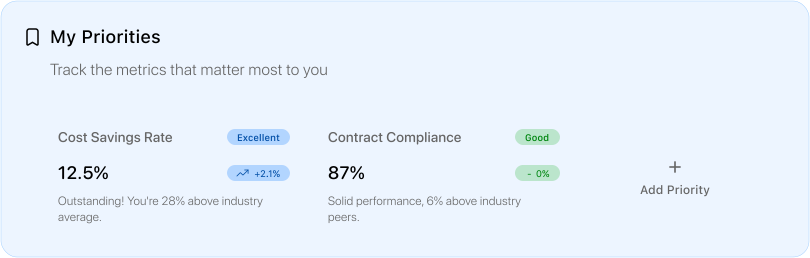
Excellent
Outstanding! You're 28% above industry average.
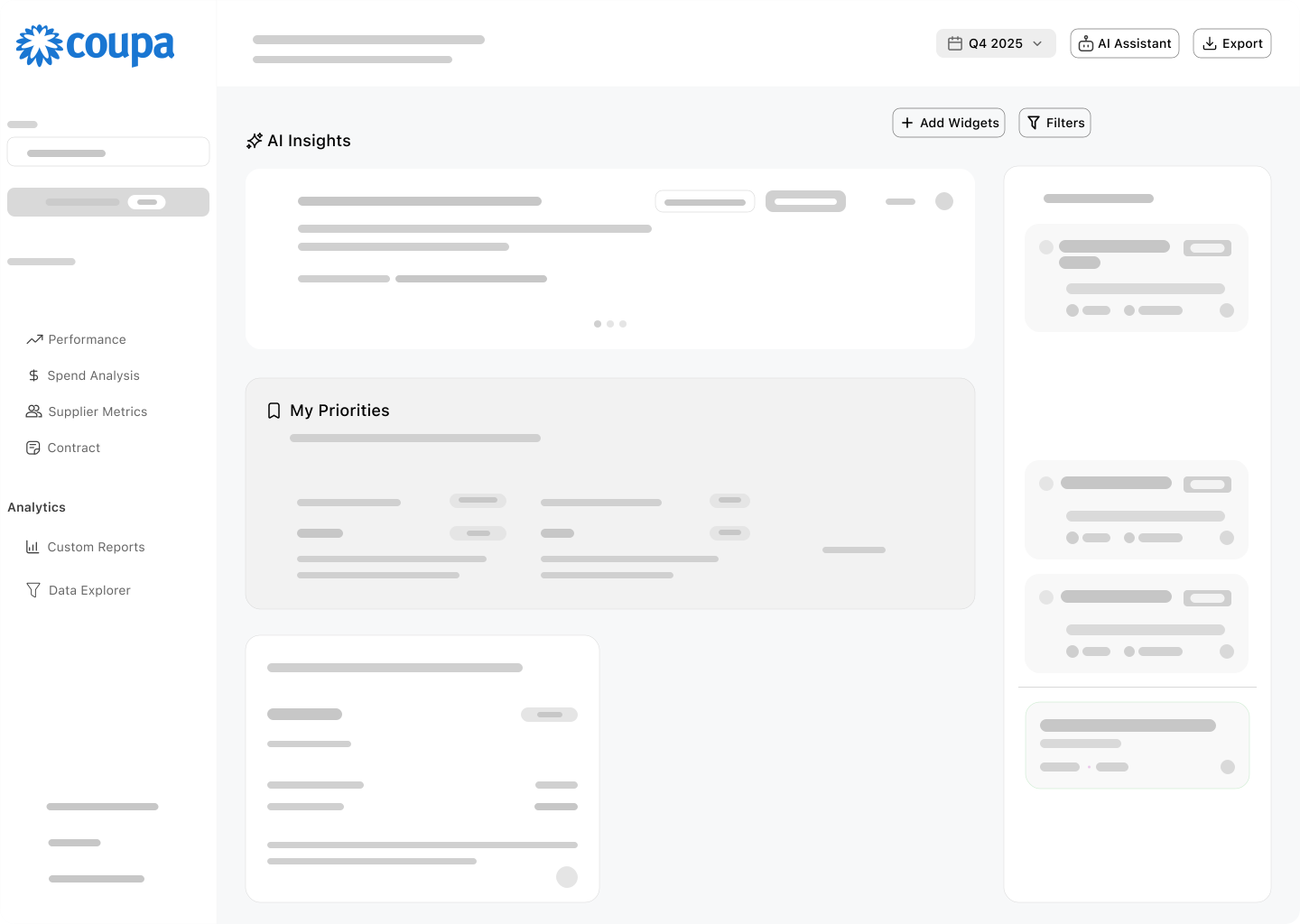
Customize Layout
AI Summery beta
0
15
30
45
60
75
90
Req-to-PO
Payment Cycle
Invoice Processing
Source to pay
Your Performance
Industry Average
Best-in-Class
Cycle Performance (Days)
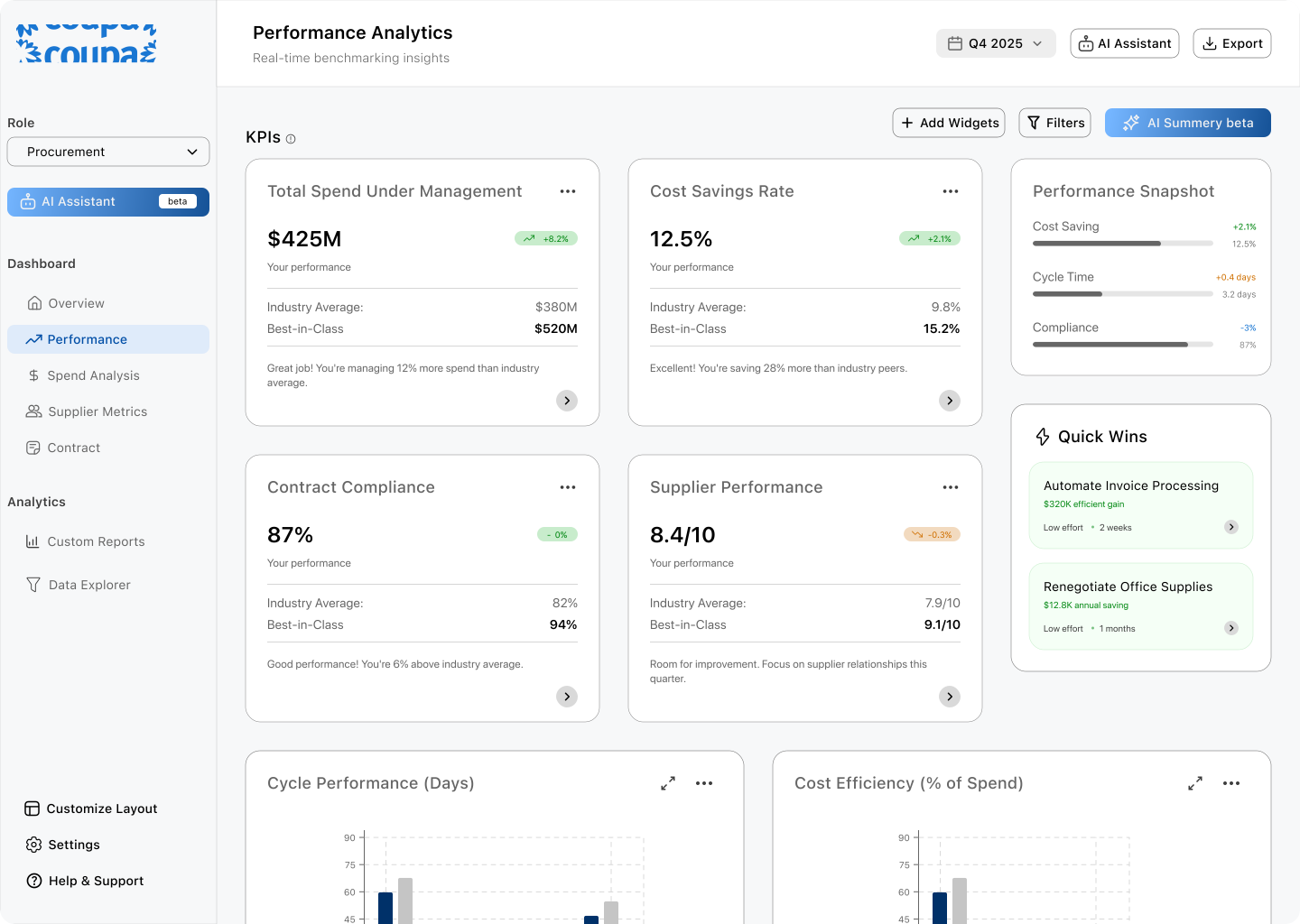
8.4/10
-0.3%
Your performance
Industry Average:
7.9/10
Best-in-Class
9.1/10
Room for improvement. Focus on supplier relationships this quarter.
Supplier Performance
Overview
View in details
3.2
days
+0.4 days
Req-to-PO
Attention
Industry Avg:
2.8 days
Best-in-Class
1.5 days
Overview
Introduction
Design Process
Final Designs
This project is a redesign of Coupa’s Spend Benchmarking Dashboard,
a tool that helps procurement managers understand how their company
is performing compared to industry peers.
simplifying complex KPIs into scannable insights, reducing decision fatigue,
and helping procurement managers make informed decisions faster.
In this case study, I’ll walk through how I approached the problem from
understanding procurement KPIs to designing a human-centered, modern
dashboard experience.
PRODUCT
Web
TIMELINE
3 weeks
MY ROLE
UX Research, UX/UI Design, Visual Design, Design Strategy
TOOLS
Figma, FigJam, Notion
INDUSTRY
B2B, SaaS
What is Spend Benchmarking or Source-to-pay?
Spending Benchmarking is a way for companies to see how their spending
compares with others in the same industry. It’s like asking:
Are we spending more or less or about the same as our peers?
Source-to-Pay (S2P) is the full journey of company spending from
finding suppliers, to negotiating contracts, to paying invoices.
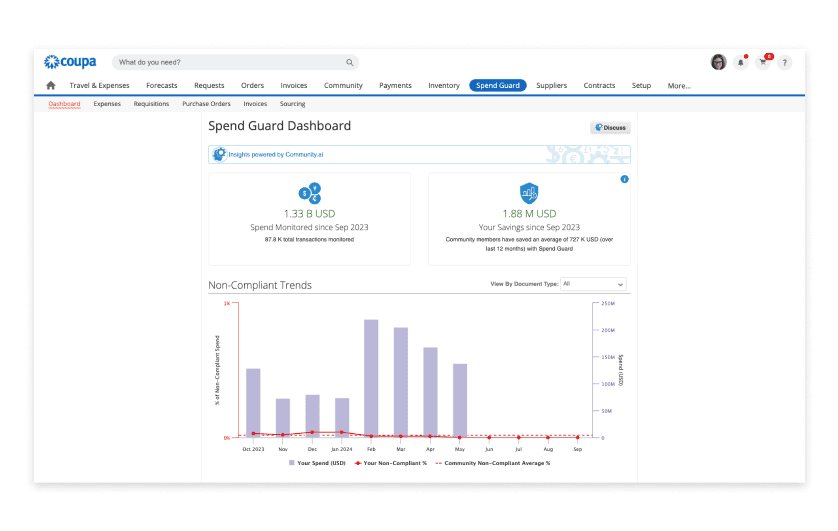
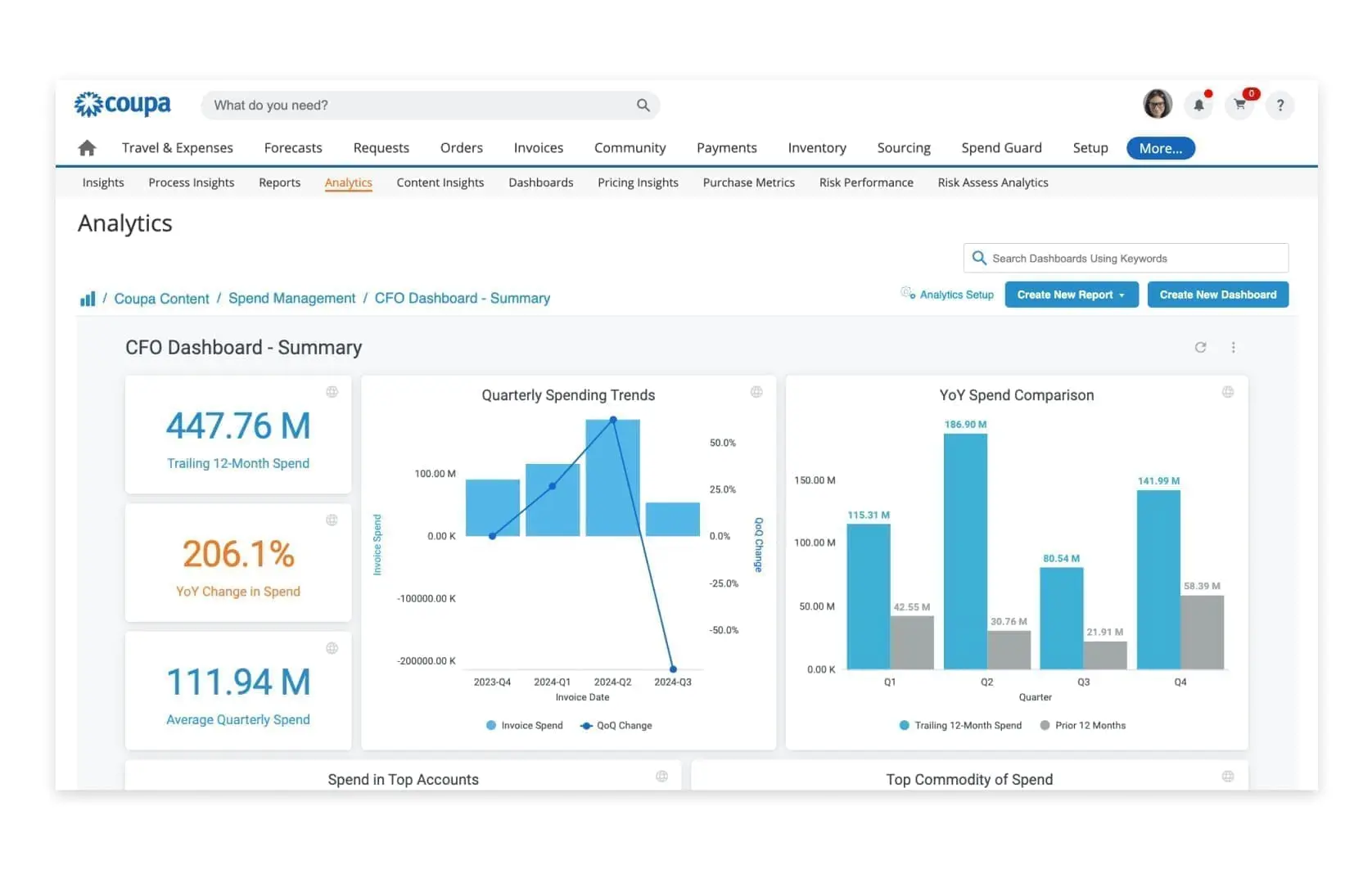
Current UI of Coupa's dashboard
Why is this important? Because procurement managers use these
benchmarks to find savings, improve efficiency, and prove the value
of their work to leadership. If the data is unclear or overwhelming,
they can’t make confident decisions which is exactly the problem
I set out to solve.
Problem Statement
Despite the critical role of spend benchmarking in procurement,
existing dashboard of Coupa consistently frustrate users with
unintuitive interfaces, excessive navigation steps, and a steep
learning curve especially for beginners.
Challenges
I had never worked on procurement dashboards or any kind of
dashboard to be honest and these terms like KPIs, Source-to-Pay,
ROI even benchmarking were pretty new to me. So, my first step
was to research and understand the domain.
So i read some blogs and research about the domain just to get
the understandingof the concepts and how to design Data Heavy
Dashboards while making themuser centric.
so these are the some resources that i have read & used during
my learning process:
6 steps to design thoughtful dashboards for B2B SaaS products |
by Rucha Abhyankar | UX CollectiveCoupa reviews: What users really think about this procurement tool
User pain points identified (from Capterra reviews):
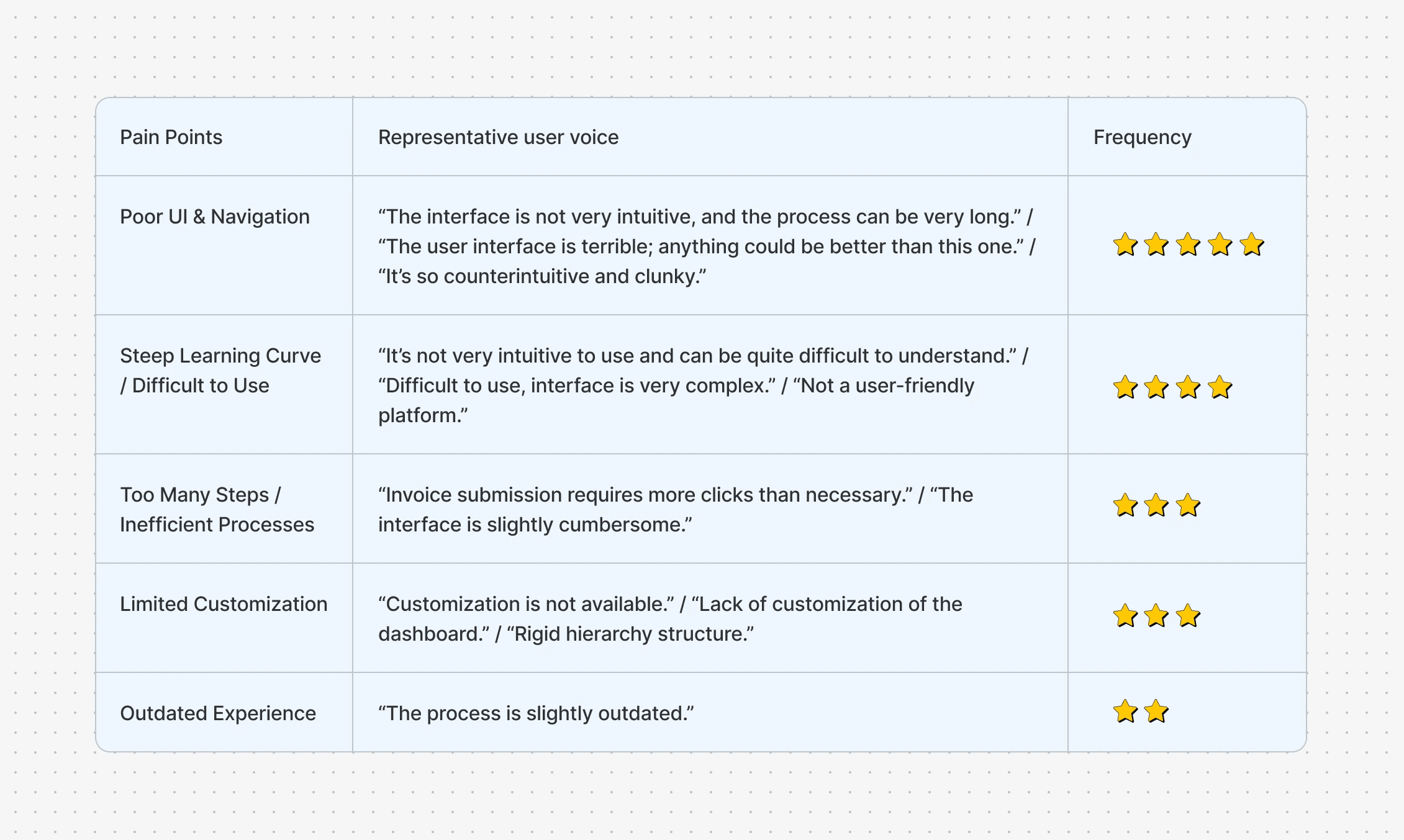
Recognizing these pain points, this redesign aims to deliver a modern,
purposeful dashboard experience tailored for procurement leaders
reducing decision fatigue and enabling faster, more confident choices
through clarity, accessibility, and actionable insights. This process is
anchored around the needs and workflow of a typical procurement
manager persona.
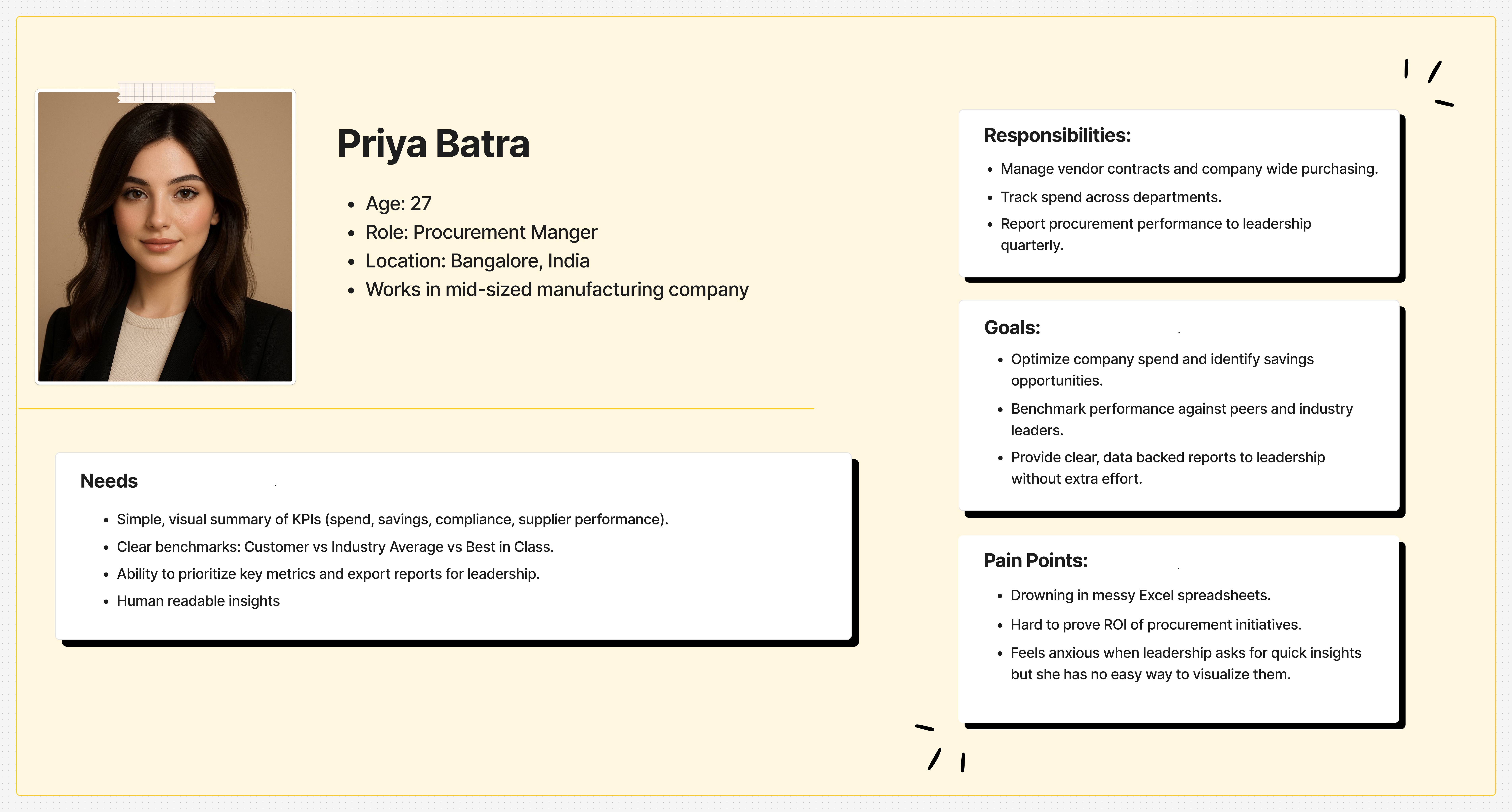
User Persona
Goals
So now that I’ve got the pain points clustered, the goals should
feel like direct responses to those problems. So I narrowed down
to the main four goals as follow:
Improve Usability & Navigation
Reduce Learning Curve
Increase Efficiency in Key Workflows
Enable Personalization & Flexibility
Ideation & Decision Making
The ideation began with six guiding questions to focus every
design choice on genuine user needs:
What actually matters most to procurement managers?
What deserves instant visibility and action?
Which global KPIs belong on the dashboard's “prime” areas?
How do we ensure rapid reporting and data clarity?
What insights demand visual context?
Which personas and scenarios must be directly addressed?
To answer these, I structured the dashboard in clear, modular
sections each built from easily scannable widgets and cards.
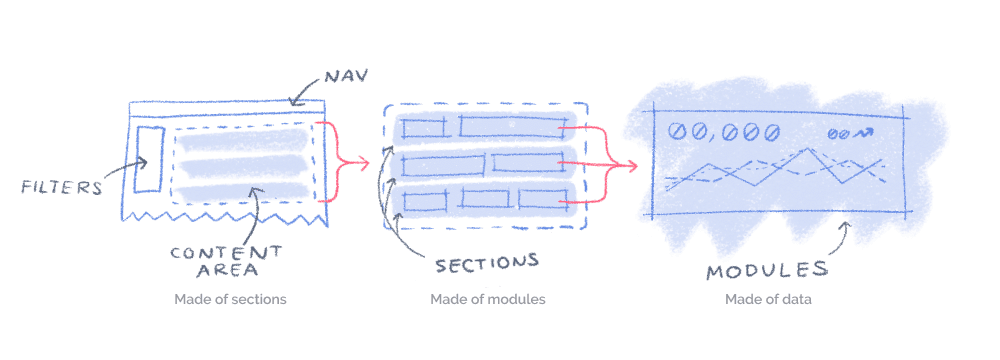
Anatomy of Dashboard UX
Following F-pattern and Z-pattern eye tracking principles, the
design naturally guides users’ attention from high-impact metrics
through contextual data, reducing overload and enhancing intuition.
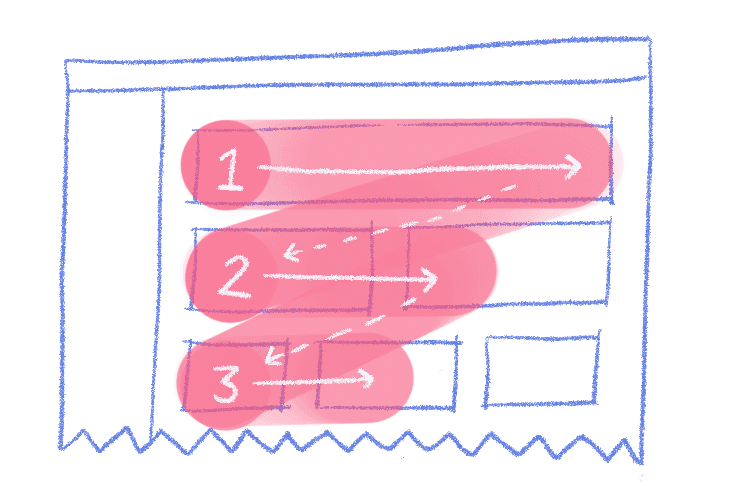
Eye-tracking research shows that users tend to scan webpages in “F” and “Z” shapes
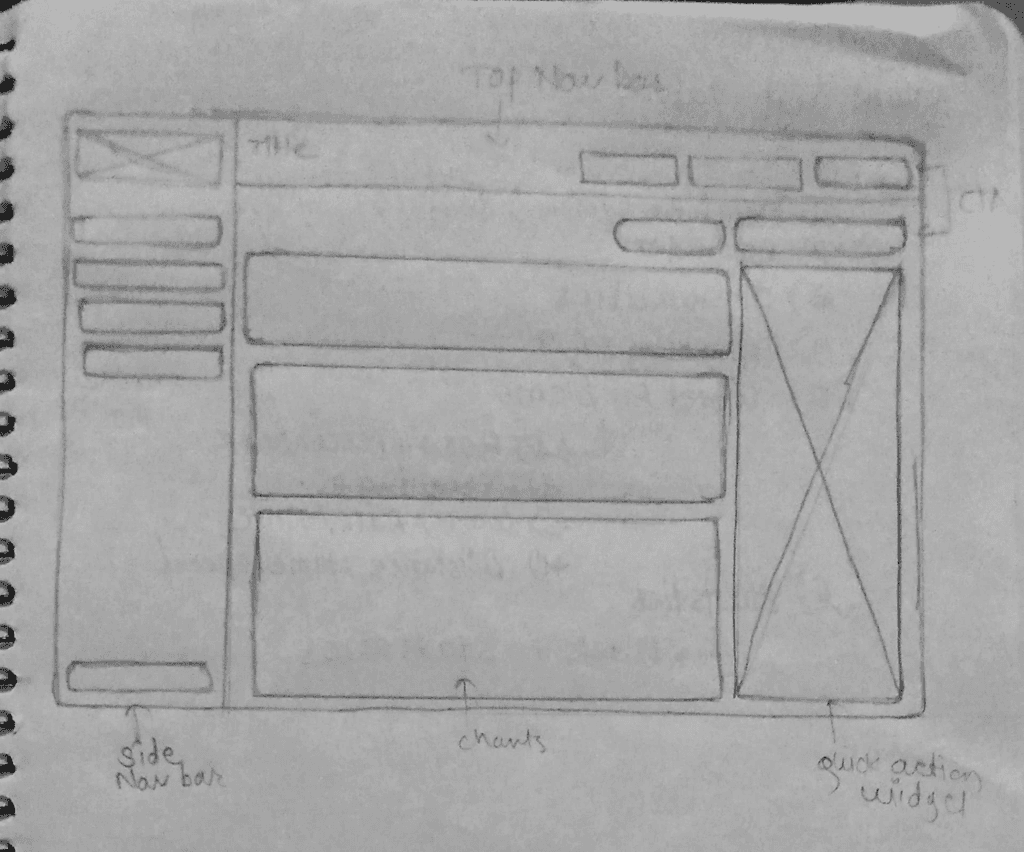
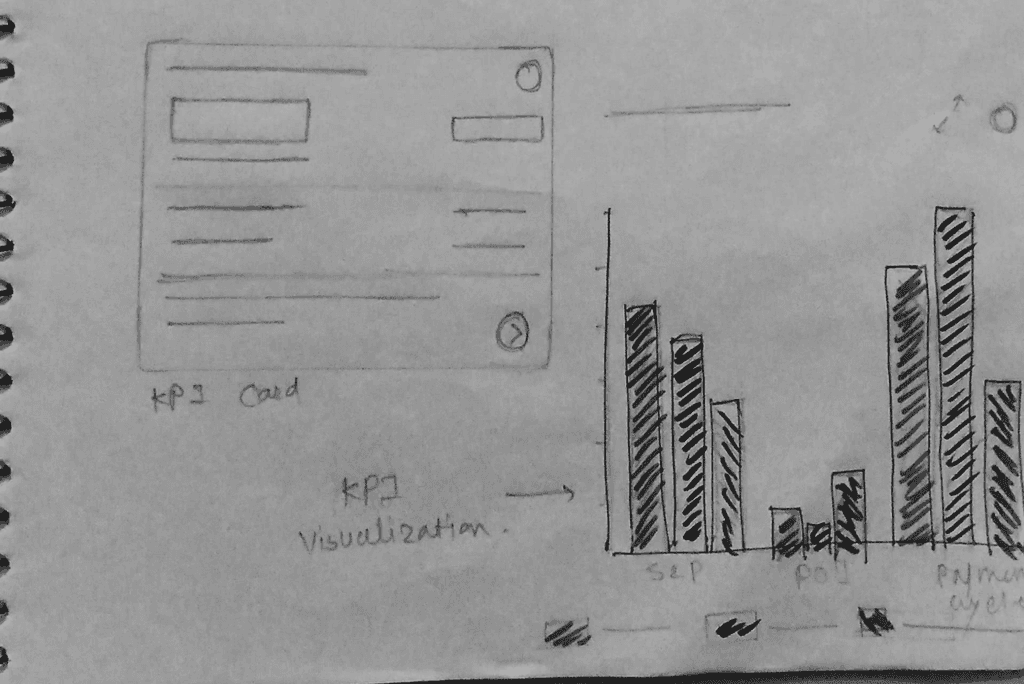
These are some of my early explorations, where I sketched out different
layouts for the dashboard. At this stage, my goal wasn’t to make things
pretty, but to quickly translate ideas into visual form and test how
information hierarchy, navigation, and KPI widgets could come together
in one screen.
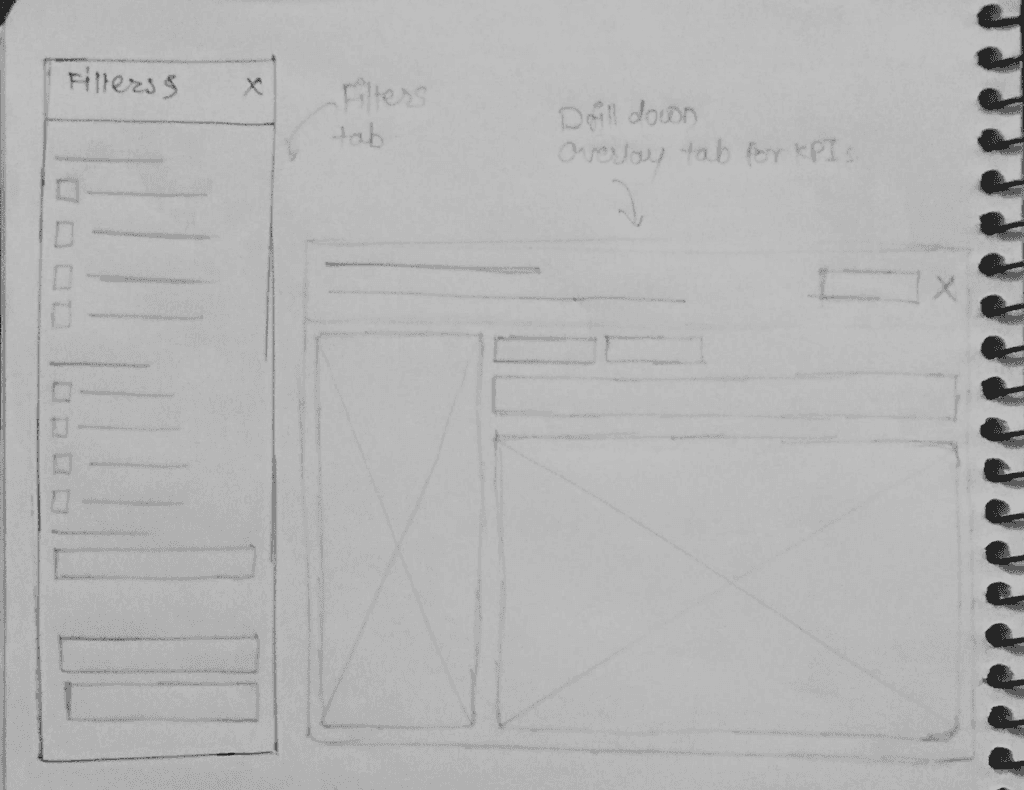
I thought about how procurement managers switch between overview
and drill-down views, so I drafted overlay and filter concepts early.
Low Fidelity Designs
Side nav > Dual top nav
Easier to scan vertically,
scalable, clear labels,
less cognitive load.
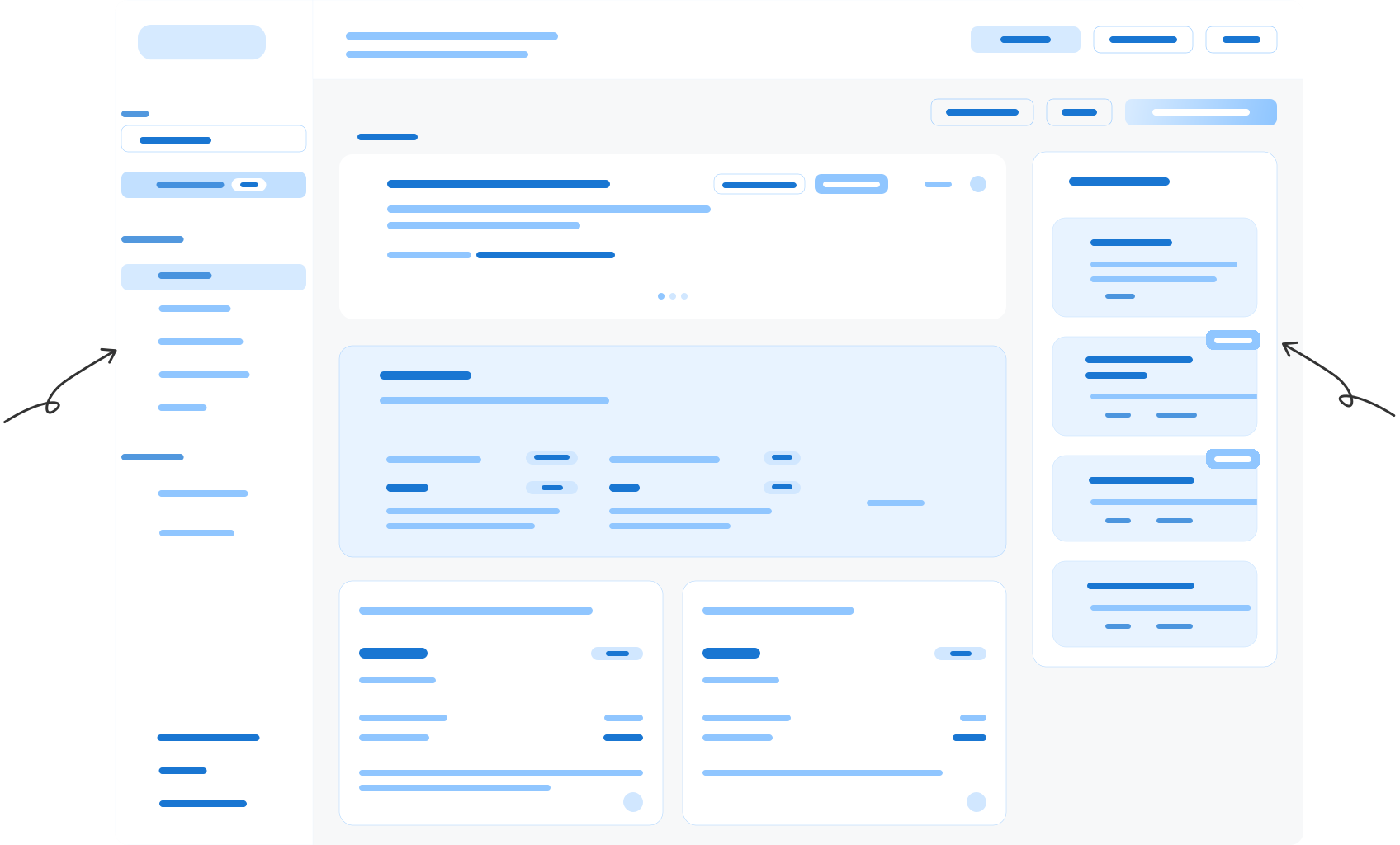
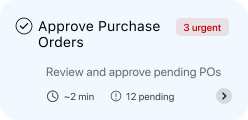
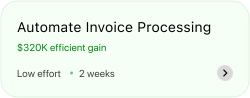
Quick Actions Panel
Cuts down clicks for
common tasks
(fixes “too many steps”
pain point).
low fidelity design for overview tab
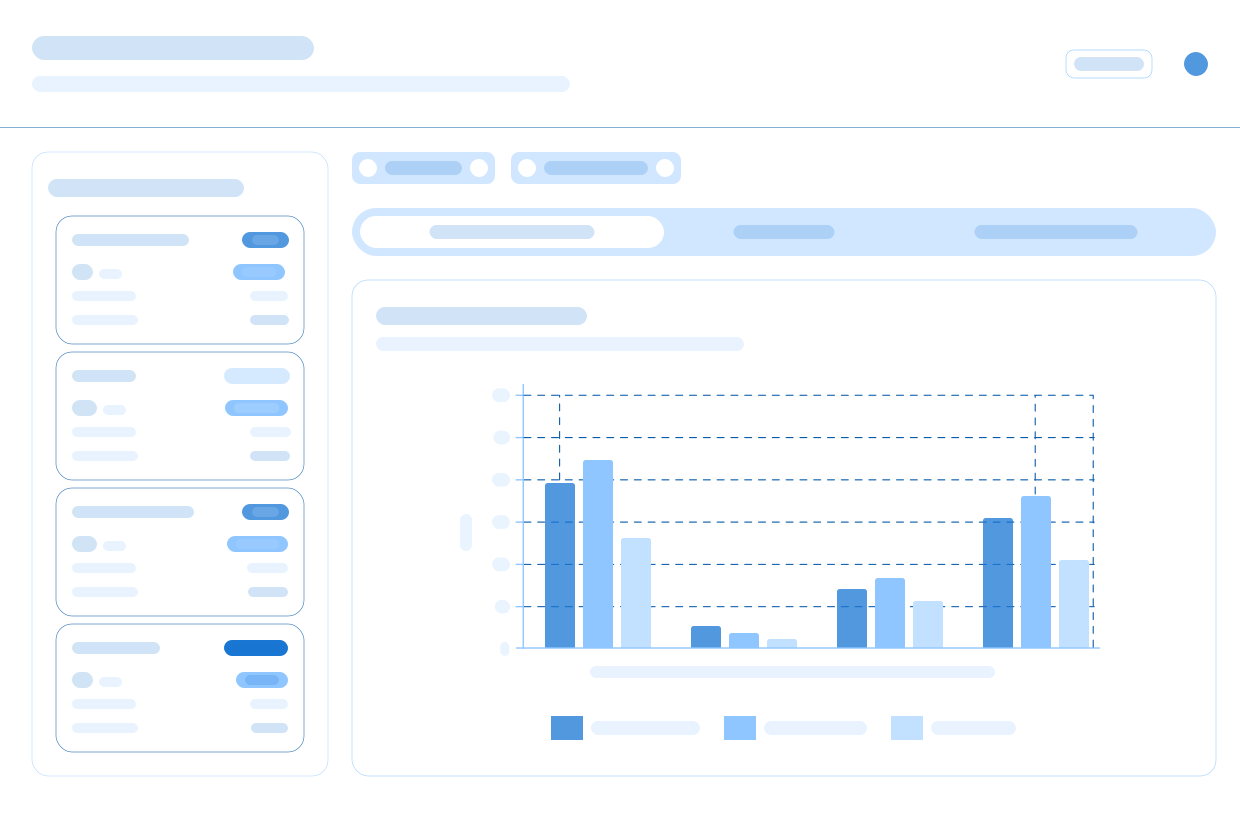
Drill down overlay tab for detailed info about KPIs
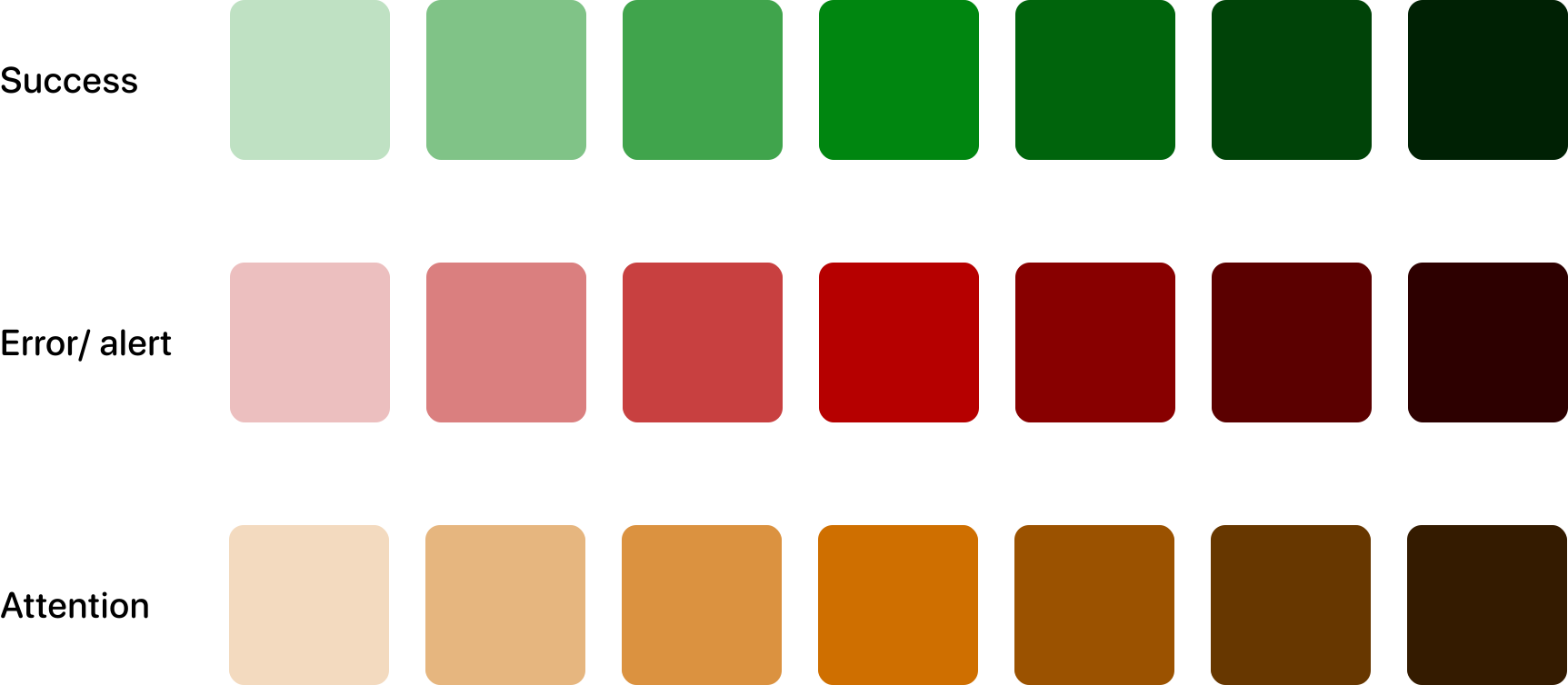
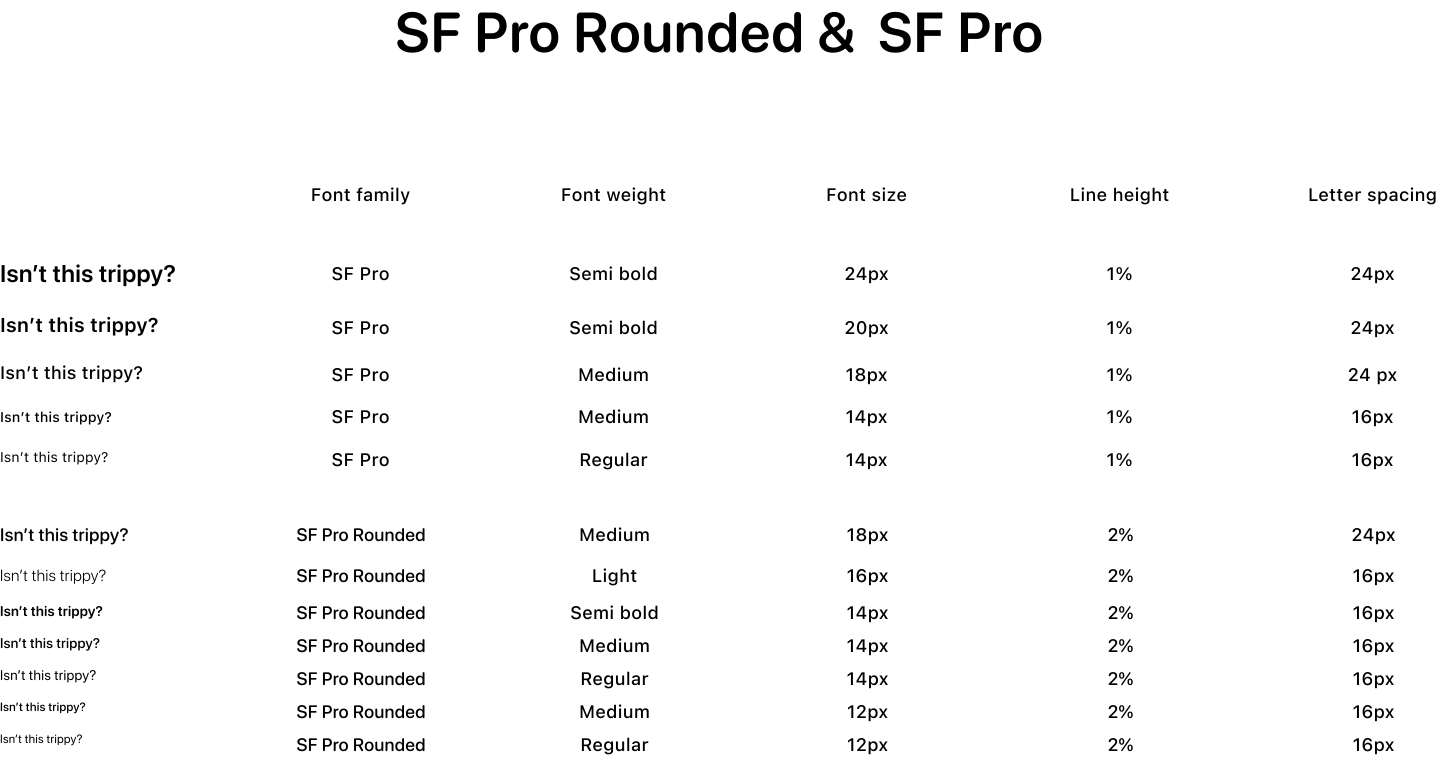
Color and Typography

High Fidelity Designs
These final designs bring together intuitive card layouts, actionable widgets,
and purposeful color and hierarchy, transforming complex data into an effortless,
confident experience for procurement managers.
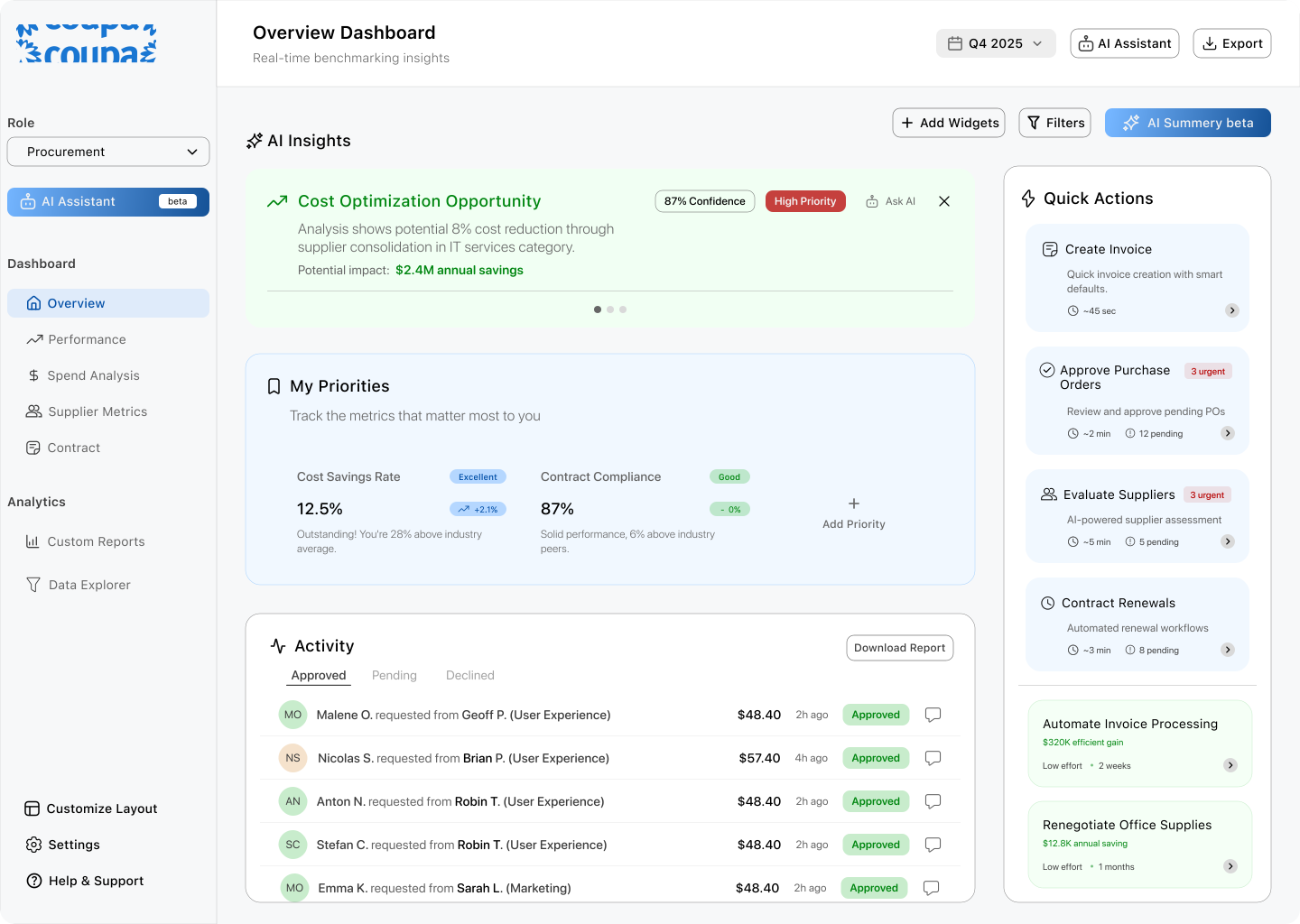
Overview tab
My Priorities:
Lets managers instantly track
what matters most, with clear
benchmarking and performance
status. Reduces cognitive load
by simplifying goal monitoring.
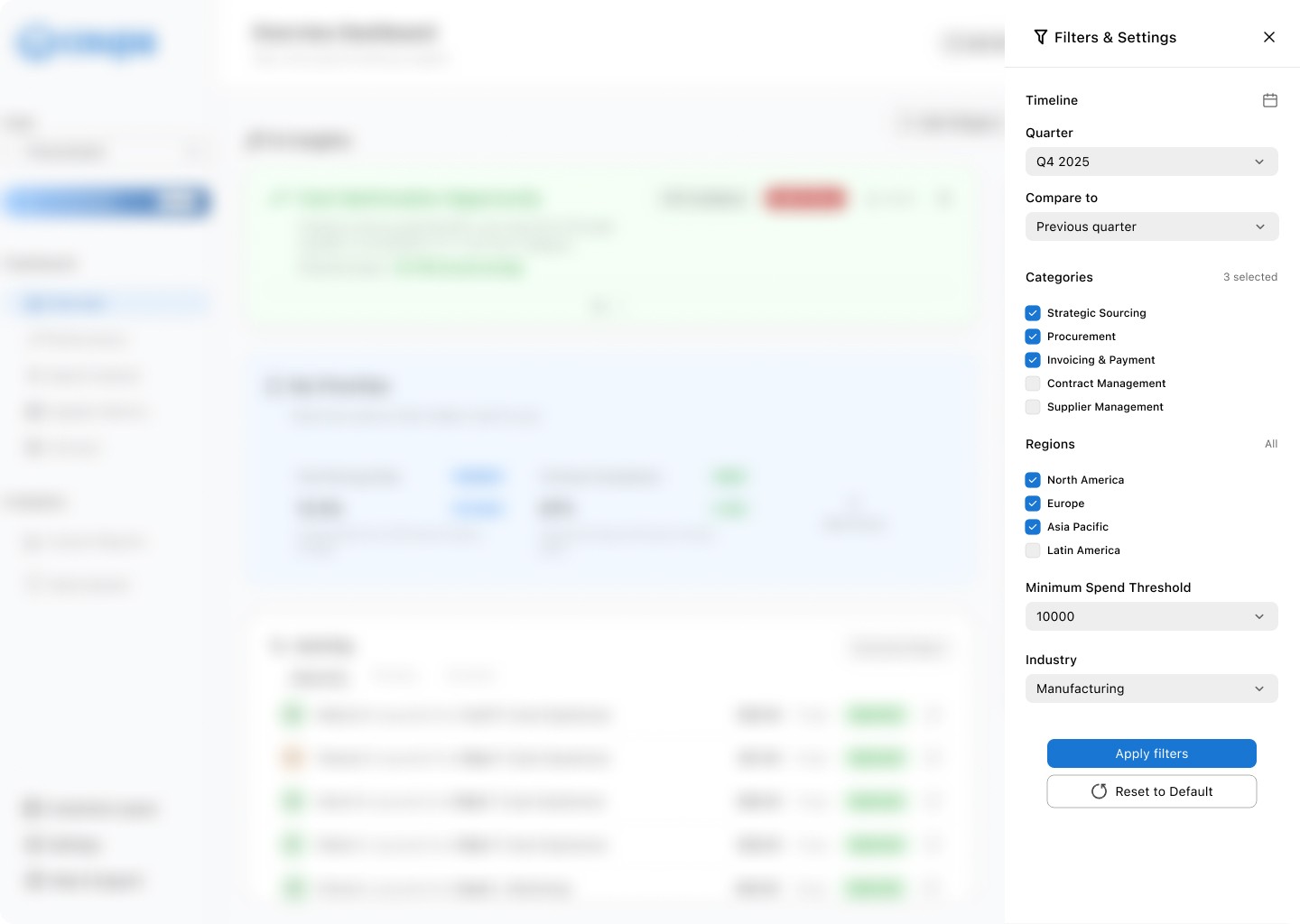
Filters tab
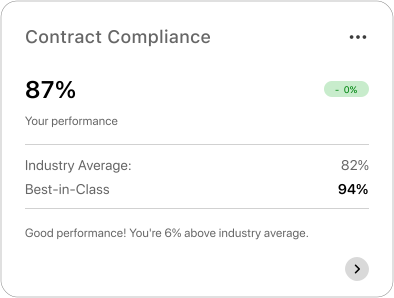
Actionable context:
Users don’t just see raw numbers; they
see how they stack up. For example,
“Good performance! You’re 6% above
industry average.” This reduces the
Cognitive Load and helps users interpret
results instantly.
Performance Tab & KPIs comparison
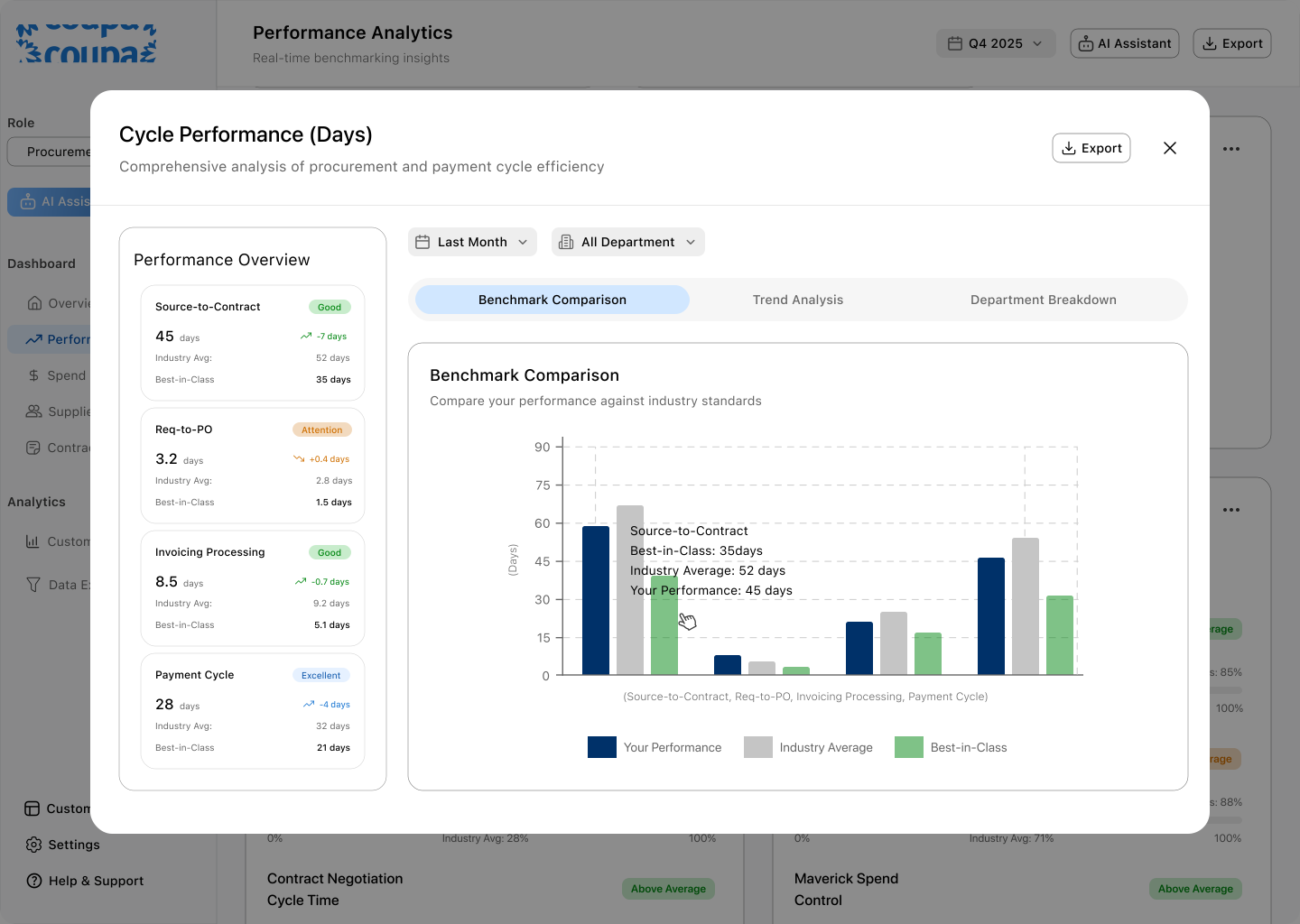
Detailed view into KPIs performance (Drill Down)
Why I chose a bar graph to for visualization:
Direct comparison
Pattern recognition
Low cognitive load
Scannability
Before
Only plain numbers and graph, don't know how the company performing actually
needs too many taps to get to the specific information, cluttered UI, Steep learning
curve, No customization (rigid structure).
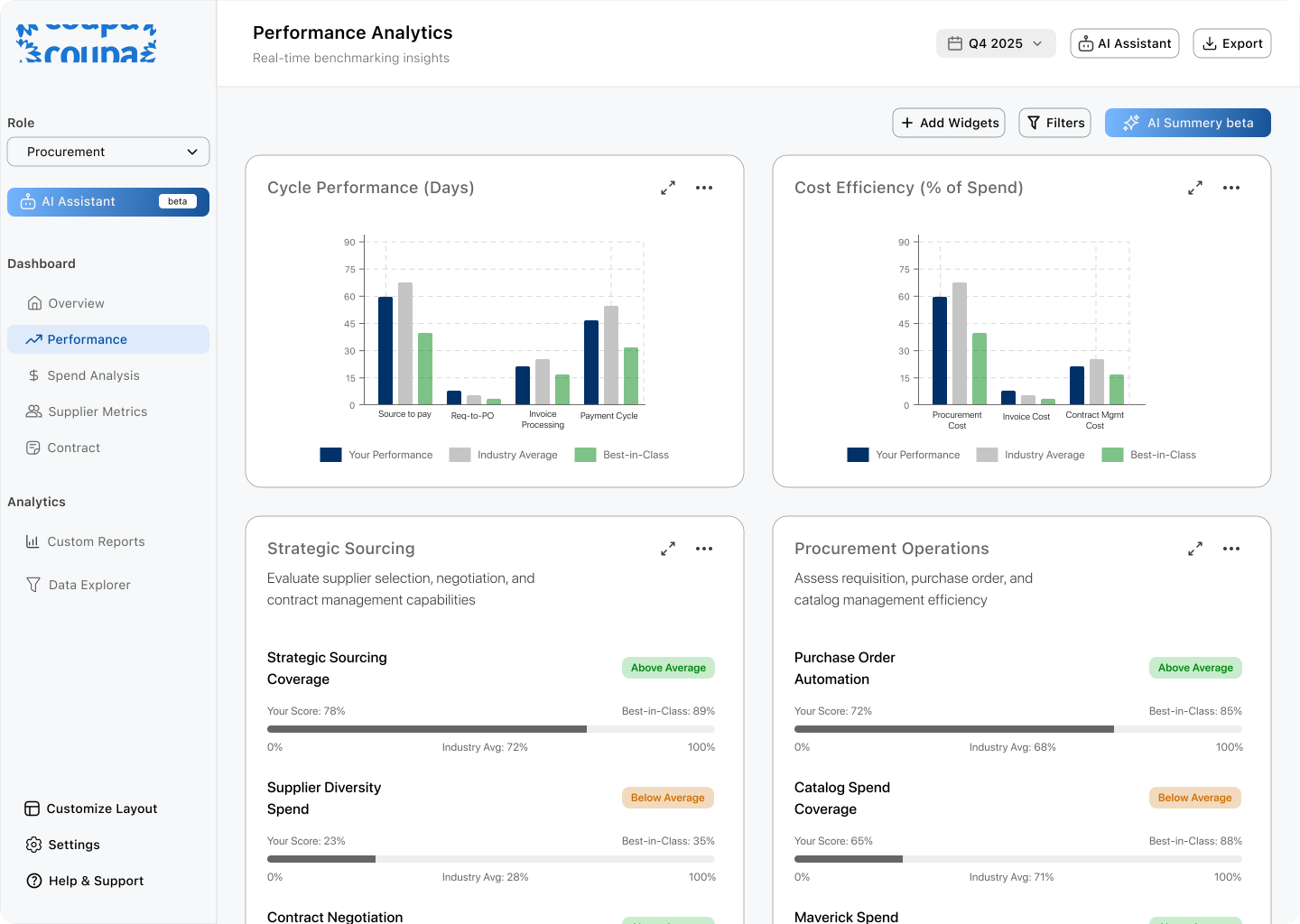
After
The redesigned dashboard focuses on clarity and usability. Instead of overwhelming
users with raw numbers, the new design provides contextual KPI cards, actionable insights,
and a customizable layout. With drill-downs and quick filters, users can get both high-level
and granular views seamlessly. Combined with a simpler navigation system and AI-powered
support, the dashboard empowers procurement managers to make informed decisions faster,
with less effort.
Key Takeaway
Diving into an unknown domain
When I started, I had no idea what spend benchmarking,
procurement, or source-to-pay even meant. This forced
me to slow down, read blogs, research terminology, and
understand why it matters to users.Designing without full clarity taught me clarity-seeking
Not having 100% context at the start actually made me
ask better questions and structure the dashboard in a
way that explain itself to the users.Simplification is the hardest design challenge
Data-heavy dashboards can easily overwhelm. I learned
how to break down complexity into simple, scannable
insights (cards, color coding, drill-downs) without
stripping away the value.Empathy is the anchor
Looking at real user pain points reminded me that design
isn’t about fancy visuals it’s about making tools less clunky,
more intuitive, and genuinely helpful.
Next project
Bitewise
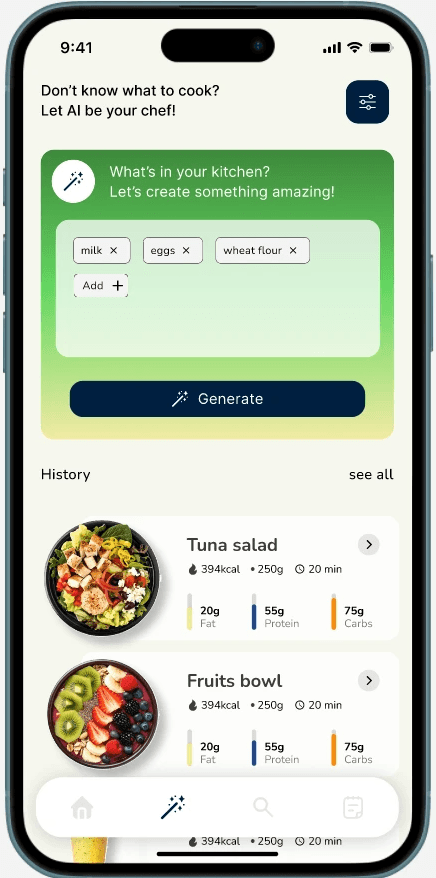
B2C . App Design
An AI-powered nutrition app that makes smart eating simple, affordable, and personal.
Because in a world full of smart devices, your diet should be smart too.